
Betin Tanzania app – bet and play anywhere
The Betin Tanzania mobile app puts sports betting, Aviator, slots, and live casino directly on your phone. From Dar es Salaam to Moshi, you can deposit with M-Pesa, place a live bet on a Vodacom Premier League match, and cash out — all without opening a browser.


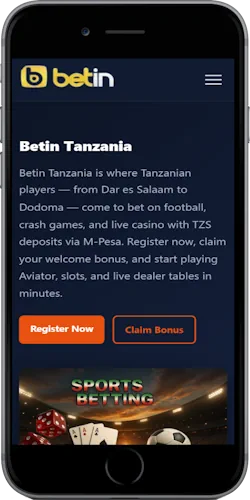
What the Betin Tanzania app covers
Most Tanzanian bettors use a smartphone as their only device — so the app isn't an add-on, it is the main product. The app runs on Android 5.0 and above, and iOS 11.0 and above. The APK file size is around 40 MB, which downloads in under a minute on a standard Vodacom or Tigo data connection. The iOS version is available directly through the App Store with no extra steps needed.
The app is built around a data-saving mode — useful for players in areas like Dodoma or Tabora where connection speeds vary. Navigation between sports, casino, and your account takes 1–2 taps. Everything from KYC document upload to withdrawal requests runs inside the app without needing to switch to desktop.
Sports betting
Pre-match and live betting on football, basketball, cricket, tennis, and volleyball. Includes 1X2, BTTS, handicaps, accumulators, and cashout.
Crash games
Aviator by Spribe (RTP 97%), JetX, FootballX, Spaceman, and more — all playable directly in the app with live multiplier tracking.
Slots and table games
Sweet Bonanza, Fire 88, 888 Gold, and 500+ slot titles from Pragmatic Play, Booming Gaming, and Evoplay. Blackjack and roulette table games included.
Live casino
Real-time tables from Evolution: Lightning Roulette, Infinite Blackjack, Speed Baccarat, and Monopoly Live — all streamed in HD directly through the app.
Mobile M-Pesa deposits
Deposit in TZS via M-Pesa, Tigo Pesa, Airtel Money, or HaloPesa directly from the app — minimum 100 TSh, confirmed in under 60 seconds.
Push notifications
Get alerts for live match events, score changes on your active bets, bonus offers, and withdrawal confirmations — you control what you receive.
Account security
PIN login, fingerprint authentication on supported Android devices, and session timeout after 30 minutes of inactivity.
24/7 live chat support
Access the support team from inside the app, in English or Swahili. Average response time is under 3 minutes during peak hours.
Android vs iOS — what's different
Both versions cover the same betting and casino features, but the installation process differs. Android users download an APK file directly from the Betin Tanzania website, while iOS users install through the App Store. Below is a side-by-side breakdown.
| Feature | Android | iOS |
|---|---|---|
| Download method | APK from official site | App Store |
| Minimum OS | Android 5.0+ | iOS 11.0+ |
| App size | ~40 MB | ~45 MB |
| Install time (4G) | Under 2 min | Under 2 min |
| Biometric login | Fingerprint (supported devices) | Face ID / Touch ID |
| Push notifications | Yes | Yes |
| M-Pesa deposit | Yes (in-app) | Yes (in-app) |
| Live betting | Yes | Yes |
| Crash games | Yes | Yes |
| Cost | Free | Free |
How to install the Betin Tanzania app
Android installation requires one extra step compared to iOS — you need to allow installs from outside the Play Store. This is a standard Android setting. The whole process from download to first login takes under 5 minutes on most devices.
Android installation
- Go to betin-tanzania.com in your mobile browser
- Tap "Download Android App" on the app page
- If prompted, go to Settings > Security and enable "Unknown sources" (one-time step)
- Open the downloaded .apk file from your notifications or file manager
- Tap "Install" and wait for it to finish — around 30 seconds
- Open the app, log in or register, and make your first deposit via M-Pesa
iOS installation
- Open the App Store on your iPhone or iPad
- Search for "Betin Tanzania" in the search bar
- Tap "Get" next to the app — no payment needed
- Authenticate with Face ID, Touch ID, or your Apple ID password
- Wait for the app to install — around 90 seconds on Wi-Fi
- Open the app, register or sign in, and connect your Tigo Pesa or M-Pesa
System requirements and compatibility
The app is optimised for budget Android handsets that are common across Tanzania — devices like the Tecno Spark, Infinix Hot series, and Samsung Galaxy A-range all run it without issues. The data-saving mode reduces bandwidth usage by around 60% compared to the full browser version, which matters if you're on a limited Airtel or Vodacom bundle in Mwanza or Arusha.
The app doesn't require a permanent internet connection for all functions. Your open betting slips and account balance are cached locally and refresh automatically when you reconnect. Live betting and live casino naturally need a stable connection — 3G is the minimum, 4G is recommended for Evolution live tables.
Android requirements
- OS: Android 5.0 (Lollipop) or higher
- RAM: 1 GB minimum, 2 GB recommended
- Storage: 40 MB free space
- Network: 3G minimum for betting, 4G for live casino
- Location: Tanzania
iOS requirements
- OS: iOS 11.0 or higher
- Compatible: iPhone 6s and above, iPad Air 2 and above
- Storage: 45 MB free space
- Network: 3G minimum for betting, 4G for live casino
- Location: Tanzania
What you need to log in
- Registered Tanzanian phone number
- Your account password or PIN
- M-Pesa, Tigo Pesa, Airtel Money, or HaloPesa linked for deposits
- Completed KYC (national ID, NIDA card, or passport)